 Capital Thread HQ
What is each cleaning client really worth?
Cleaning Business CRM & Profit Tracker
See every client, every clean and your monthly recurring revenue, find who has not booked in a while, and quote jobs that protect your hourly rate.
Made for: Residential cleaners and small cleaning teams with regular clients.
What it does
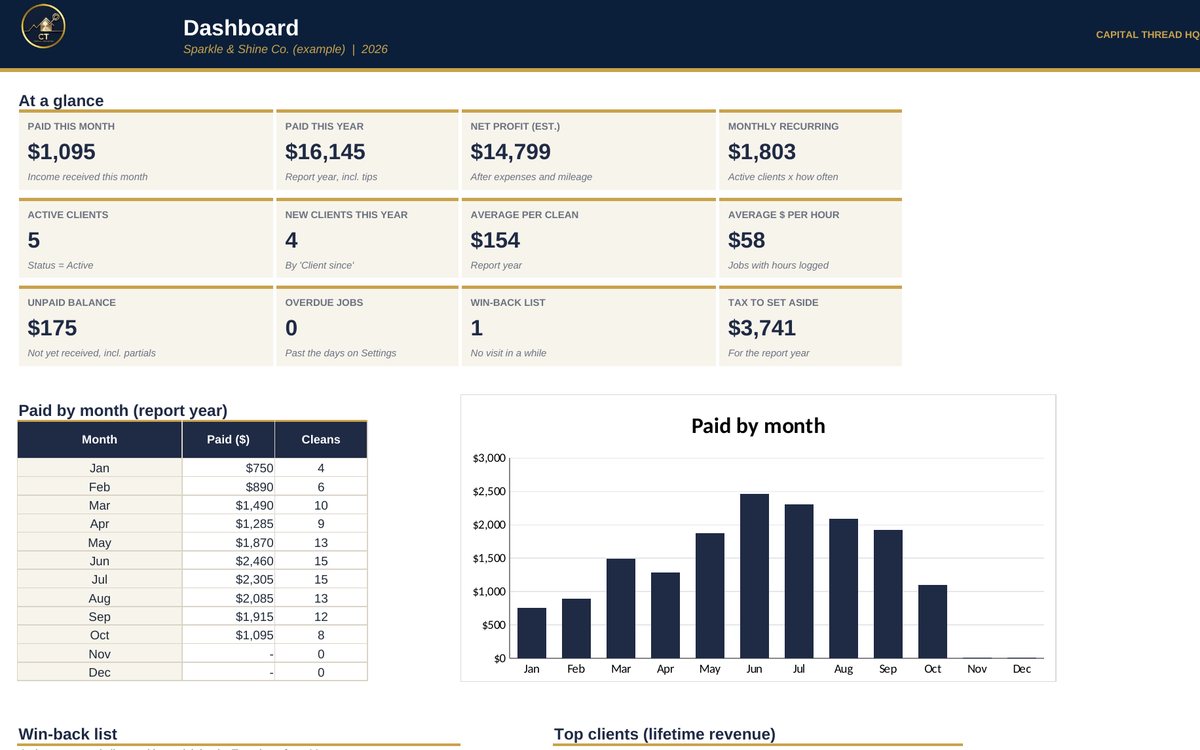
- A simple CRM built for residential cleaners and small cleaning teams: every client, every clean, what they paid and what they're worth to you over time.
- Shows your monthly recurring revenue, who hasn't booked in a while (win-back list), your top clients and who still owes you.
- Quotes jobs, plans your route with Google Maps, gives you ready-to-send texts, and estimates the tax to set aside.
Watch the walkthrough
Jay walks through every tab with example numbers, so you know exactly how to set it up.
What's inside
14 tabs, including a Start Here guide. Example rows show the format; type over them with your own numbers.
How to set it up
- Settings: business name, your services and default prices, tax rates and your review link.
- Clients: add each client once (address, service, how often, price). Lead = not booked yet.
- Jobs: add a row for every clean. Pick the client and the price fills in. Type the date paid when they pay.
- Price Calculator for new quotes, Route Planner for your day, Messages for texts you send every week.
- Expenses and Mileage as you go. Check the Dashboard and Tax & Profit every week.
Questions
Does it work in Google Sheets?
Yes. It is built in Excel and opens in Google Sheets: upload the file to Google Drive and choose Open with Google Sheets. Excel (desktop or Microsoft 365) gives the smoothest experience. Apple Numbers is not supported.
Do I need to know formulas?
No. Blue text on a yellow cell is something you type. Everything else calculates for you, and the Start Here tab explains each step.
How do I get the file?
Buy it on Etsy and download it instantly from your Etsy purchases. Nothing is shipped.
Is this tax or legal advice?
No. Tax figures are planning estimates to help you set money aside. Check with a tax professional for your situation.
Something else? Message us on Etsy or tap Ask Jay at the bottom of the page.