 Capital Thread HQ
What is your real profit on each Etsy order?
Etsy Seller Profit Tracker
Transaction, processing and listing fees and Offsite Ads eat into every sale. See your real profit on every order and every product, and price with confidence.
Made for: Etsy sellers who want to know which products actually make money.
What it does
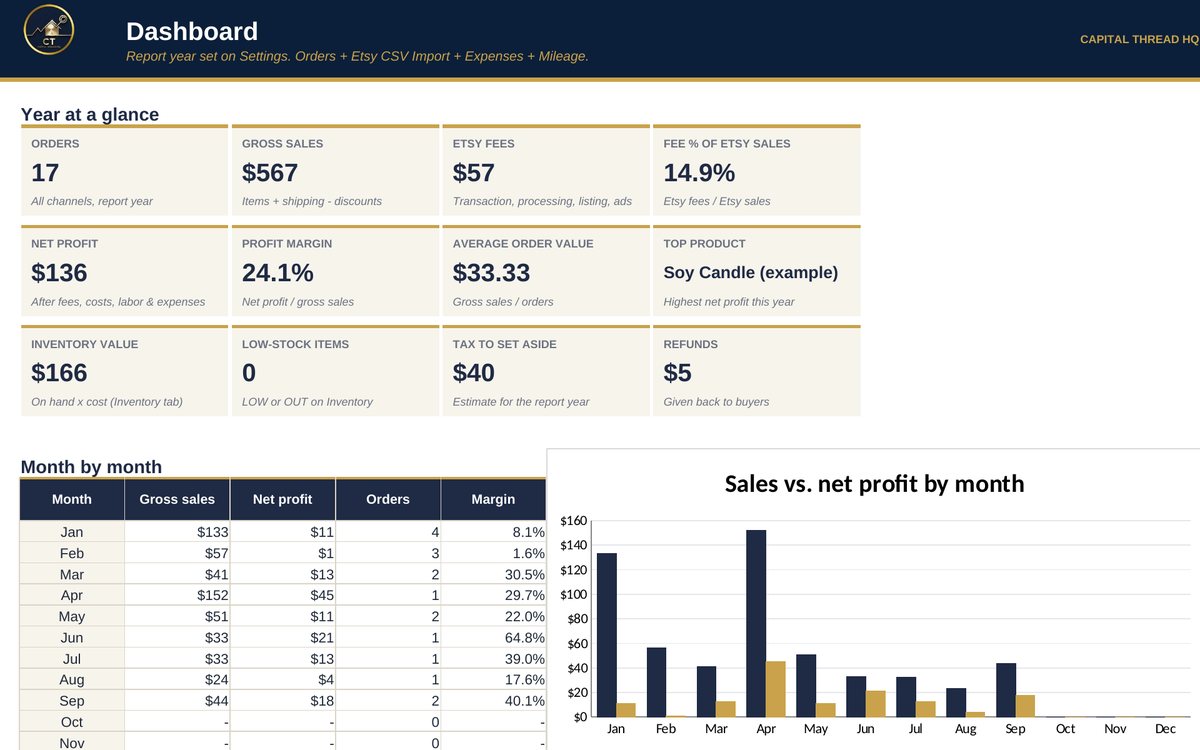
- Turns every sale into true net profit after transaction, processing, listing and Offsite Ads fees, Etsy Ads, refunds, shipping labels and your product cost.
- Builds product costs from your materials, labor and packaging, tracks inventory, and imports Etsy's Order Items CSV so you don't retype orders.
- Covers Etsy plus Shopify, craft fairs and in-person sales, and estimates the tax to set aside with quarterly estimated payments.
Watch the walkthrough
Jay walks through every tab with example numbers, so you know exactly how to set it up.
What's inside
13 tabs, including a Start Here guide. Example rows show the format; type over them with your own numbers.
How to set it up
- Settings: check the Etsy fee rates against your Etsy fee page, set your labor rate and your channel fees (Shopify, craft fair card reader...).
- Materials and Recipes: list your supplies, then what goes into one of each product. (Skip this for digital items or if you'd rather type a cost.)
- Products: one row per product. Add its Etsy Listing ID or SKU so imported orders match it automatically.
- Etsy sales, the easy way: Etsy Shop Manager > Settings > Options > Download Data > 'Order Items' CSV. Paste it on Etsy CSV Import at cell B7.
- Orders: type any sale that is NOT in your pasted CSV - craft fairs, Shopify, in person, or Etsy orders if you prefer typing. Never both.
- Inventory, Expenses and Mileage: log stock you make, shop costs (incl. Etsy Ads spend) and business miles. Dashboard and Tax & Profit add it all up.
Questions
Does it work in Google Sheets?
Yes. It is built in Excel and opens in Google Sheets: upload the file to Google Drive and choose Open with Google Sheets. Excel (desktop or Microsoft 365) gives the smoothest experience. Apple Numbers is not supported.
Do I need to know formulas?
No. Blue text on a yellow cell is something you type. Everything else calculates for you, and the Start Here tab explains each step.
How do I get the file?
Buy it on Etsy and download it instantly from your Etsy purchases. Nothing is shipped.
Is this tax or legal advice?
No. Tax figures are planning estimates to help you set money aside. Check with a tax professional for your situation.
Something else? Message us on Etsy or tap Ask Jay at the bottom of the page.