 Capital Thread HQ
How much should you set aside for taxes?
Freelancer Income & Tax Tracker
When you freelance, nobody takes taxes out of your pay. Log invoices, spot late payers, track deductions and see what to set aside from every dollar.
Made for: Freelancers, contractors and side hustlers paid on 1099s.
What it does
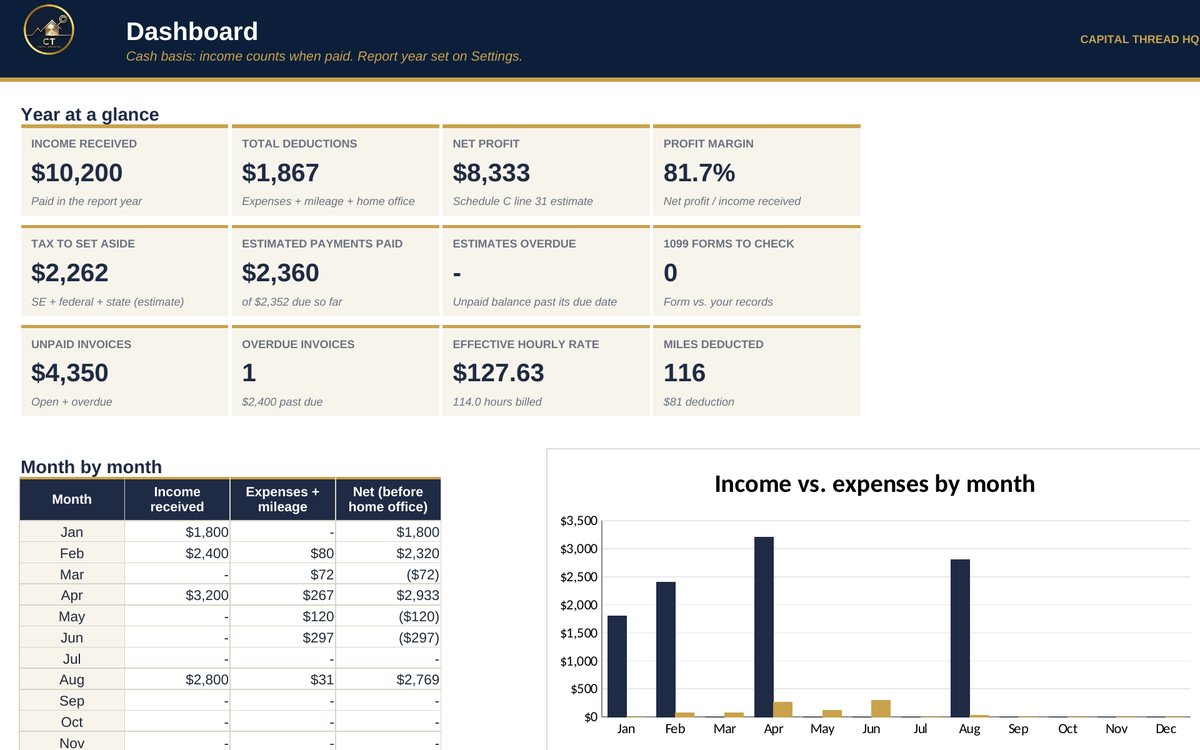
- Tracks invoices and flags overdue clients, logs deductible expenses and business miles, and builds your profit by Schedule C line.
- Estimates self-employment, federal and state tax to set aside, and tracks each IRS estimated payment against its due date.
- Checks the 1099 forms you receive against your own records and shows what you really earn per hour from each client.
Watch the walkthrough
Jay walks through every tab with example numbers, so you know exactly how to set it up.
What's inside
9 tabs, including a Start Here guide. Example rows show the format; type over them with your own numbers.
How to set it up
- Settings: check the report year, your federal and state tax rates and the mileage rate. Review the expense categories.
- Income: log each invoice. Type the Date paid when the money arrives; leave it blank while unpaid. Add Hours if you track time.
- Expenses and Mileage: log business costs and business trips as they happen. Leave Deductible % blank to use the category default.
- Tax & Profit: pick your home office method and enter its numbers. Your P&L and tax set-aside update automatically.
- Estimated Payments: when you pay the IRS, type the amount, date and confirmation number. 1099 Check: enter each form you receive.
- Dashboard: review it monthly. Show your tax professional the Tax & Profit tab before you file.
Questions
Does it work in Google Sheets?
Yes. It is built in Excel and opens in Google Sheets: upload the file to Google Drive and choose Open with Google Sheets. Excel (desktop or Microsoft 365) gives the smoothest experience. Apple Numbers is not supported.
Do I need to know formulas?
No. Blue text on a yellow cell is something you type. Everything else calculates for you, and the Start Here tab explains each step.
How do I get the file?
Buy it on Etsy and download it instantly from your Etsy purchases. Nothing is shipped.
Is this tax or legal advice?
No. Tax figures are planning estimates to help you set money aside. Check with a tax professional for your situation.
Something else? Message us on Etsy or tap Ask Jay at the bottom of the page.