 Capital Thread HQ
What does that dish really cost?
Restaurant & Food Truck Cost Control
Cost every dish from real ingredient prices, compare food cost to your target, and track prime cost every week.
Made for: Small restaurants, food trucks and caterers.
What it does
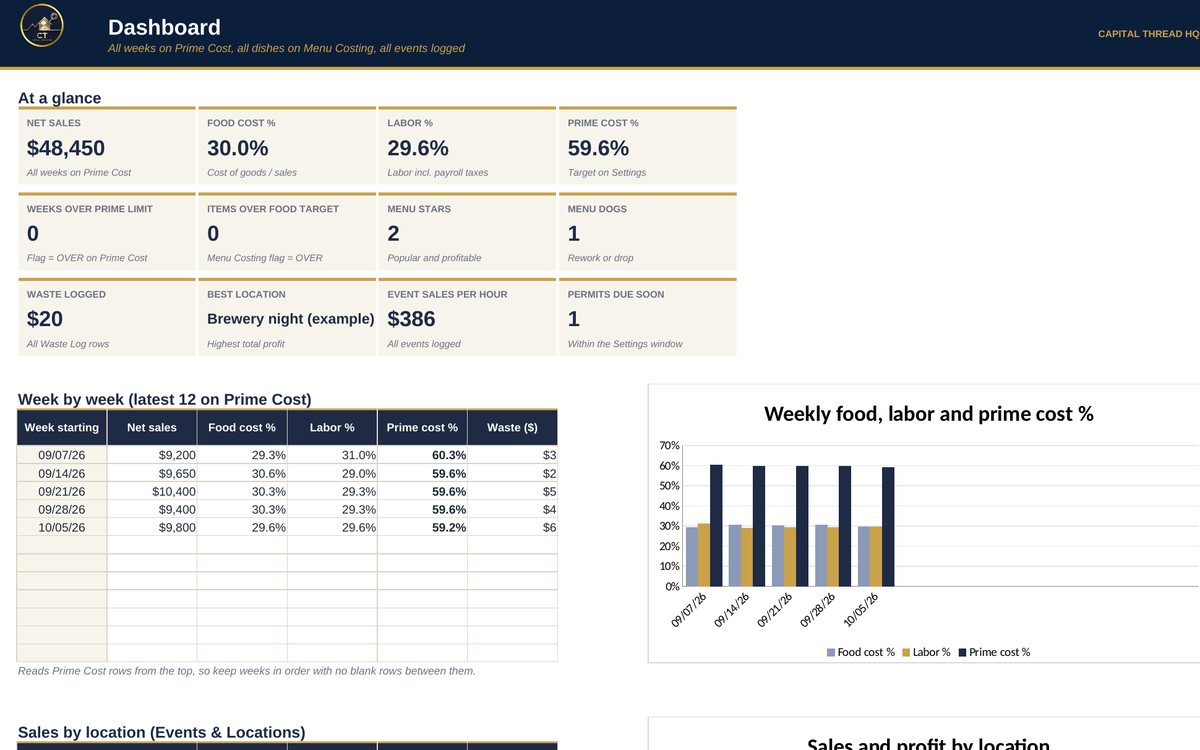
- Costs every dish from your real ingredient prices (after trim and yield loss), shows food cost % against your target and the price you need to hit it.
- Sorts your menu into STARS, PLOWHORSES, PUZZLES and DOGS from what actually sells, and tracks weekly food, labor and prime cost (the number most owners watch).
- For food trucks: profit, sales per hour and break-even sales for every stop or event, plus your best locations. Also logs waste, price changes, inventory counts and permits.
Watch the walkthrough
Jay walks through every tab with example numbers, so you know exactly how to set it up.
What's inside
13 tabs, including a Start Here guide. Example rows show the format; type over them with your own numbers.
How to set it up
- Settings: set your target food %, labor % and prime cost %, plus the alert thresholds. Common starting targets are pre-filled.
- Ingredients: pack size, pack price and usable yield % for each item. For a prep item (sauce, salsa), name its batch recipe and how many units a batch makes.
- Recipes: one row per ingredient per dish. Menu Costing: each dish's price and units sold. Dish names MUST match Recipes exactly.
- Daily: log Daily Sales, Events & Locations (trucks) and the Waste Log. Weekly or monthly: Inventory Count and Price Watch.
- Prime Cost: one row per week. Copy sales, labor and inventory from the helper columns, then check the Dashboard.
Questions
Does it work in Google Sheets?
Yes. It is built in Excel and opens in Google Sheets: upload the file to Google Drive and choose Open with Google Sheets. Excel (desktop or Microsoft 365) gives the smoothest experience. Apple Numbers is not supported.
Do I need to know formulas?
No. Blue text on a yellow cell is something you type. Everything else calculates for you, and the Start Here tab explains each step.
How do I get the file?
Buy it on Etsy and download it instantly from your Etsy purchases. Nothing is shipped.
Is this tax or legal advice?
No. Tax figures are planning estimates to help you set money aside. Check with a tax professional for your situation.
Something else? Message us on Etsy or tap Ask Jay at the bottom of the page.